DUKE
A gunman lives inside your text buffer. Delete with a katana, shotgun or rocket.
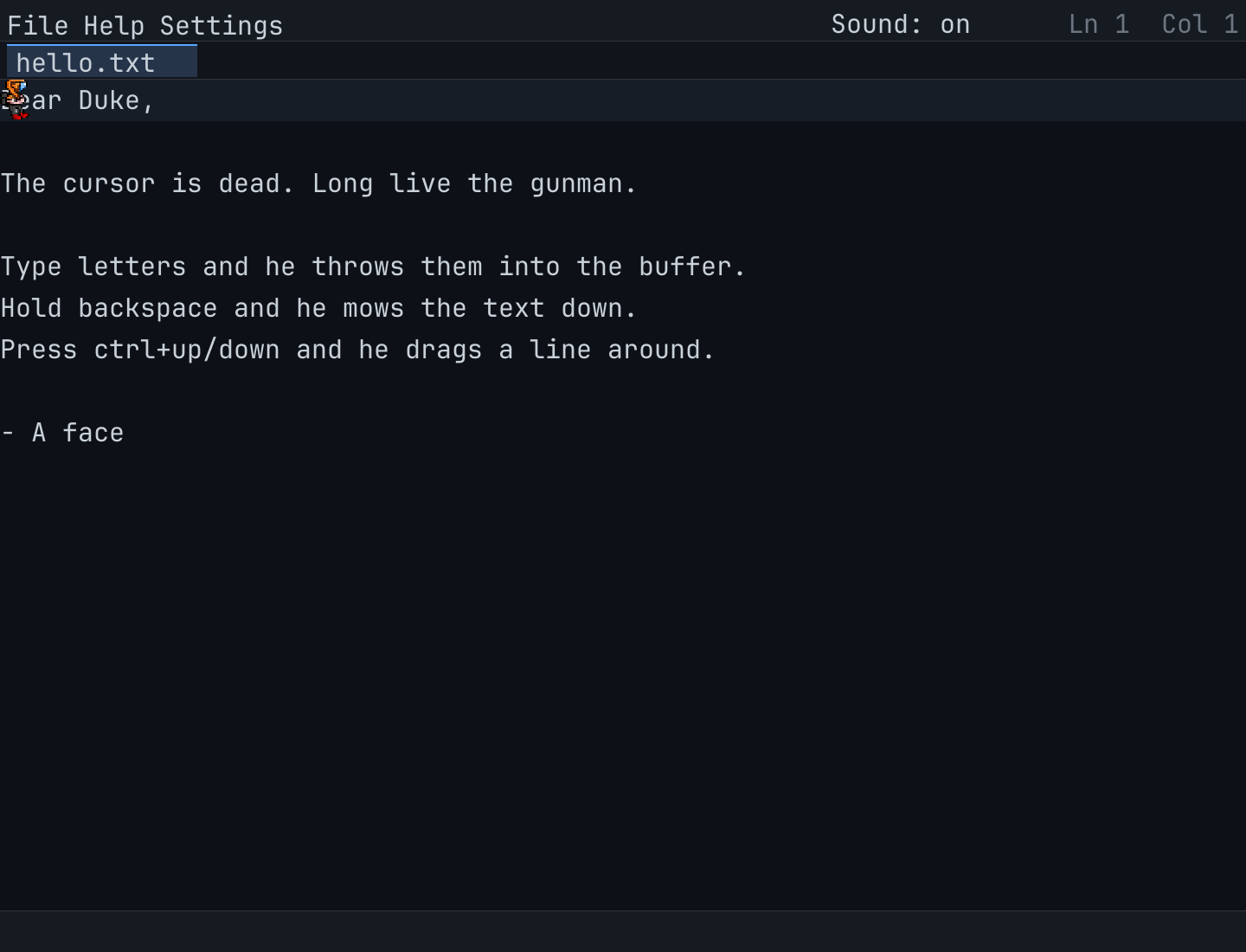
About DUKE
A notepad with no cursor. DUKE is a Duke Nukem-style gunman who lives inside the text buffer: he walks to wherever you point him, stamps letters into place as you type, shoots glyphs out when you delete, drags whole lines around when you reorder them, and celebrates when the file is saved. Built with Go and Ebitengine for Windows, macOS and Linux — everything is procedural, from the embedded JetBrains Mono font to the pixel-art sprites.
Features
- A notepad with no cursor — the gunman is your caret
- Delete with a katana, shotgun, rocket launcher or machine gun
- Drag lines around, open tabs, undo/redo, and save with Ctrl+S
- Five selectable pixel-art characters (duke, cyborg, demon, skeleton, ghost)
- LAN multiplayer with name tags, cartoon chat bubbles and a trash-talking bot
- Embedded JetBrains Mono font and fully procedural sprites — no loose asset files
- Pure-Go binaries for Windows, macOS and Linux with no runtime dependencies
Requirements
- Windows: Windows 10 or later
- macOS: macOS 12 or later
- Linux: A modern 64-bit distribution (glibc)
Frequently asked questions
What is DUKE?
DUKE is a text editor where a Duke Nukem-style gunman lives inside the buffer. He walks to where you point him, stamps letters as you type, and destroys glyphs with a katana, shotgun or rocket when you delete.
Which platforms are supported?
Windows, macOS (Intel and Apple Silicon) and Linux. It ships as pure-Go binaries with no runtime dependencies.
Can I try it before buying?
The full source is public at github.com/xyzzyapps/duke, so you can build and evaluate it yourself before purchasing a licence.
What does the licence cover?
A one-time purchase is a personal licence — there is no subscription. See the Terms of Service for the full terms.
Can I add my own characters and sounds?
Yes. Drop PNG folders into sprites/ and WAV files into sounds/ and they appear in the app — no recompiling needed.
Documentation
Read the full manual for DUKE — setup, usage and troubleshooting — and save it as a PDF from the print dialog.
Read the docs → PDF